[ TV recess ]
[ false breast ]
2.4m3.0mCreate Your Design
Start with a clean canvas and build your own modular media wall — false chimney breasts, recesses, protrusions and inset shelves.
You design the look — recesses, chimney breasts, TV cut-outs and slatted panels. Wallwrightunits works out the framing, boards, slats and every last cut, then does what no other tool does: replays your exact frame as a step-by-step 3D build stage you can scrub through, member by member, in the order you'd actually build it. Skip the designer fee, and build it yourself with confidence.
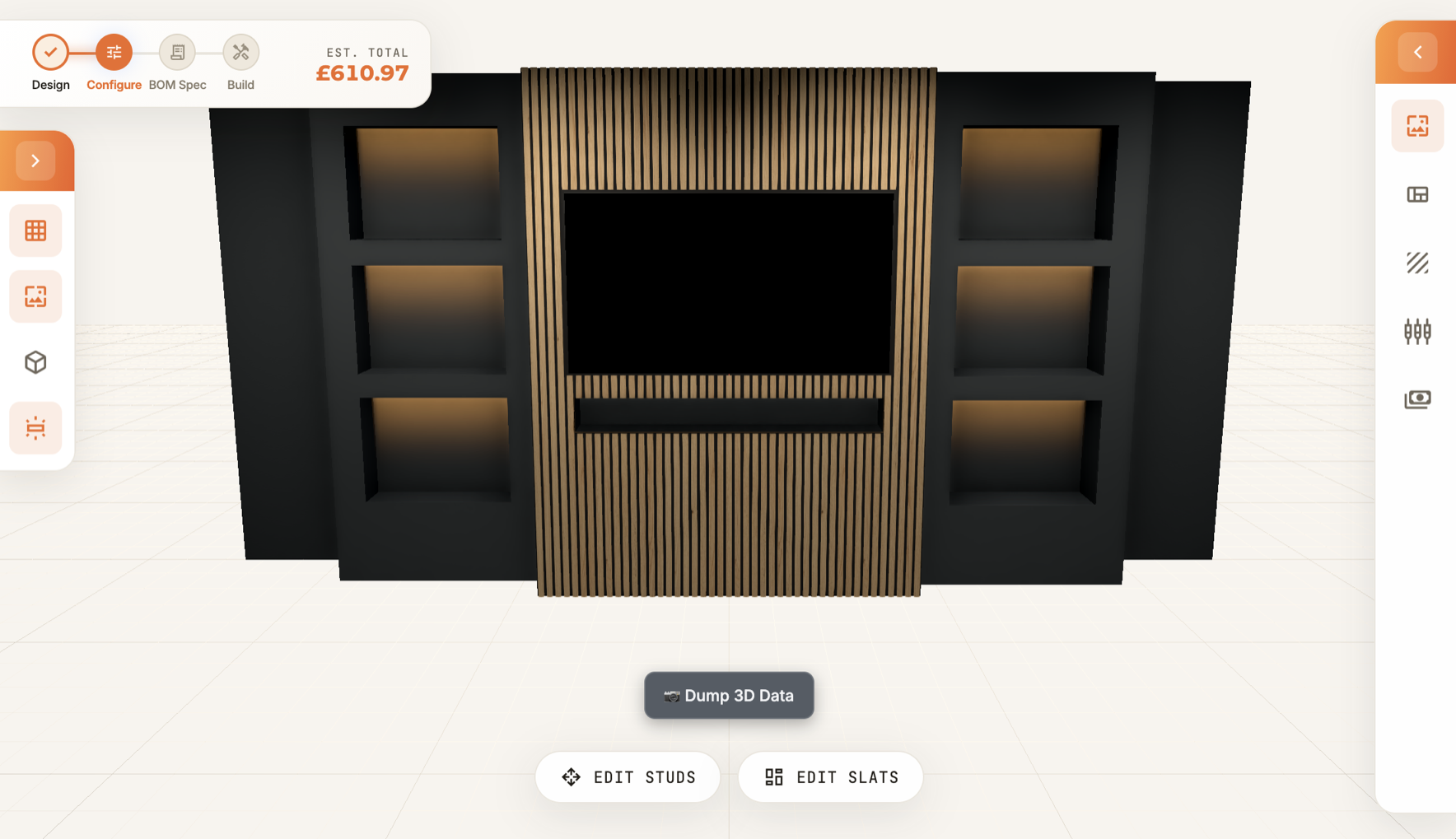
Design a media wall in 3D — recesses, chimney breasts, TV cut-outs, slatted panels. The same parametric model then draws the framing, nests every sheet, plans every cut and orders the build. Touch one part and it lights up everywhere at once.
The same C16 frame the app costs is replayed as an assembly guide: a numbered sequence and an interactive 3D player that lays the frame one member at a time — so a first-timer can follow along and a fitter can plan the day.
Every timber member exists once in the geometry, then gets presented three ways for three jobs. Buy it, cut it, build it — same sticks, never a contradiction between the drawing, the yard list and the guide.
One source of truth. The player, the render and the cut list all read the same fragments — so the wall you watch assemble is exactly the wall you costed and exactly the wall you'll cut.
Don't fancy a blank canvas? Load a proven starter design in one click, then customise the dimensions, finishes and components to fit your room.
Start with a clean canvas and build your own modular media wall — false chimney breasts, recesses, protrusions and inset shelves.
Every design becomes a real, costed cutting list — nested sheets, a timber cut plan and a build-ready bill of materials. See a full example.
Set your dimensions and drop in recesses, chimney breasts, TV cut-outs, protrusions and slat panels — with real materials, room context and lighting. It's a proper editor, not a rigid generator: get right down to an individual stud or slat.
Slats are the finish most people come for — and the easiest to get wrong on site. Either route, the run lands cleanly at every edge, with no half-slat at the join.
Drop a pre-made slatted panel onto any face and it always lines up — no ugly half-slat at the join, no re-cut on site. Widths snap to the slat-and-gap rhythm, flush to every recess and edge.
Set the width, gap and orientation and design your own run from sheet stock. It tells you the exact number of slats, which sheet each is cut from, and nests them with the rest of the takeoff.
Waste-optimised cutting lists save real money on every sheet of MDF.
A real rectangle-nesting algorithm packs every board onto standard sheets — fitting pieces into the free space around previous cuts and cut-outs. A first-fit plan packs your timber lengths onto 2400 mm studs. This is what makes Wallwrightunits more than a visualiser.
Add a recess or swap a slat colour, and the 3D model and the price update together, on one screen. No “request a quote and wait three days” to find out it’s over budget.
Running grand totalCollision & clash detection runs across every component. If a TV cut-out fouls a stud or a recess overlaps a chimney breast, it’s flagged before you spend a penny.
Clash: cut-out fouls studBecause it works out every sheet, stud and slat down to the last cut, you walk into the merchant with the exact quantities. No second trip for “three more boards”, no pile of offcuts you paid for.
£0 wastedSee the price change as you design. No quote. No waiting.
Change a dimension, add a recess or swap a slat colour and the 3D model and the price update live, on the same screen. There's a running grand total at all times — so you iterate to a design that fits your budget in the moment, with no "request a quote and wait three days" friction. On a trade account, load your own merchant prices and the total becomes your real cost — quote a client in minutes, straight off the takeoff.
You do the visual part; the software does the measuring, speccing and pricing — and tells you exactly what to buy.
The 3D design tool is yours to use directly — no consultation, no drawing fee, no days of back-and-forth.
Sheet-nesting and stud-packing cut the waste out before you buy — so you order the right amount, not a guess-plus-margin.
We tell you exactly what to buy — so you don't over-order or pay a markup. A precise, itemised cutting list lets you source the timber, MDF and slats yourself.
From idea to costed, build-ready plan in minutes — not weeks. No waiting for a quote to find out what your wall costs: design it, price it, and walk into the merchant with the right number of sheets.